Ask five vendors what a billing system costs and you'll get five very different numbers — because "POS software" can mean anything from a free mobile app to a full restaurant or retail ERP running a multi-outlet chain. The confusing part is that the software is often the smaller half of the bill. The counter hardware, the printer, the scanner, and the recurring fees frequently add up to more than the licence itself. This 2026 guide breaks down what you actually pay for a point-of-sale and billing setup in India — software versus hardware, subscription versus one-time, and honest rupee ranges by the kind of business you run.
We build billing and ERP systems for restaurants and retailers, so we'll be direct about where a cheap plan is genuinely fine and where it quietly costs you more later. No inflated figures, no fake reviews — just ranges we'd stand behind on a real quote.
Software vs hardware: two separate budgets
The first mistake business owners make is treating a POS system as a single price. It's really two budgets. The software is what rings up sales, calculates GST, tracks stock, and prints the bill. The hardware is the physical counter that runs it. You can spend heavily on one and lightly on the other, so it helps to price them apart.
Typical hardware and what it costs
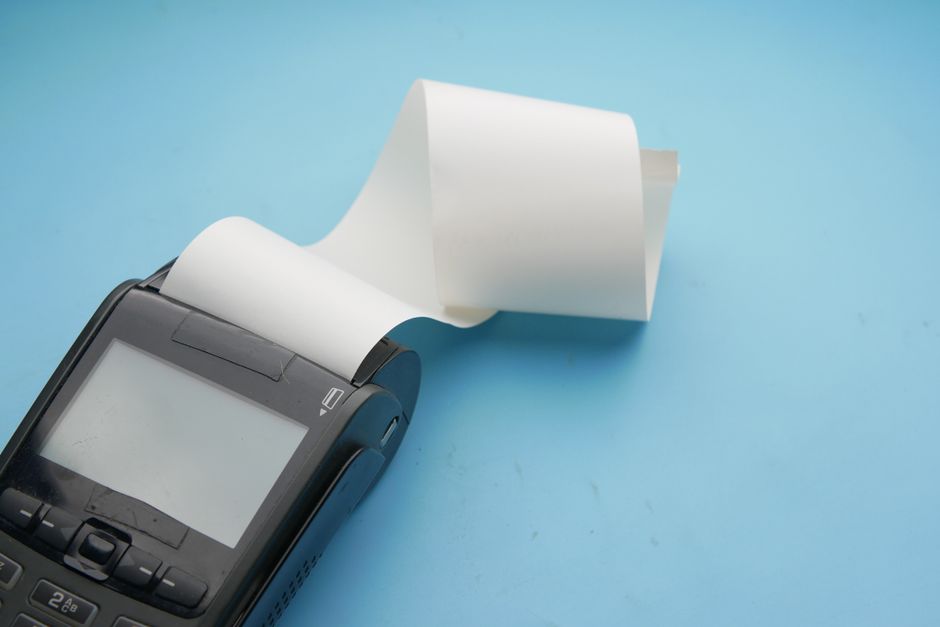
Hardware is largely a one-time purchase and prices move with brand, capacity, and whether you buy new or refurbished. As a rough 2026 guide for common India-market kit:
- POS terminal / billing machine — a basic desktop or all-in-one touchscreen typically runs ₹15,000–₹45,000. Many small shops instead use an existing laptop or an Android tablet and pay nothing extra here.
- Thermal receipt printer — around ₹3,000–₹12,000 depending on print speed and whether it's USB, Bluetooth, or LAN.
- Barcode scanner — a handheld 1D scanner is roughly ₹1,500–₹6,000; 2D scanners that read QR/UPI codes cost more.
- Cash drawer — a simple lockable drawer is about ₹2,000–₹5,000.
- Optional extras — customer-facing display, weighing scale integration, KOT printer for kitchens, or a UPS for power cuts, each adding a few thousand rupees.
You may not need new hardware at all
If you already have a laptop or Android tablet and a printer, good billing software often runs on it as-is. Before buying a full counter, price a software-only start — you can add a scanner or cash drawer later once volumes justify it.
Software pricing models: subscription vs one-time
Billing software is sold in two broad ways, and the model matters as much as the sticker price because it changes what you pay over three to five years.
- Subscription (SaaS) — a monthly or yearly fee per outlet or per user, usually cloud-based. Low to start, includes updates and support, but the cost never ends and rises as you add outlets, users, or premium features. Common for cloud restaurant and retail POS tools.
- One-time / perpetual licence — you pay once to own the software, often with a smaller annual maintenance charge (AMC) for updates and support. Higher upfront, but predictable and cheaper over the long run if you stay put. Common with desktop retail and pharmacy billing packages, and with ready industry ERPs.
Neither model is universally cheaper. A single-outlet kirana that will use the same tool for years often wins with a one-time licence. A growing restaurant group that wants zero IT maintenance and anywhere-access frequently prefers subscription. The trap is signing a low monthly plan without checking what the same tool costs after three years and a couple of extra outlets.
Price ranges by business type
Different businesses need different things from a billing system, so their costs differ too. A kirana needs fast GST billing and basic stock; a supermarket needs multi-counter, barcode-driven checkout; a restaurant needs table/KOT management and aggregator handling; a pharmacy needs batch, expiry, and schedule tracking. The table below gives honest 2026 ranges for software plus typical hardware to get started.
| Business type | What it needs | Software (indicative, 2026) | Typical hardware to start | Rough all-in to go live |
|---|---|---|---|---|
| Kirana / small retail | GST billing, basic stock, barcode | Free tiers exist; paid ~₹2,000–₹12,000/yr or one-time | Existing laptop + printer (₹3,000–₹12,000) | ~₹5,000–₹30,000 |
| Retail store / boutique | Barcode, variants, offers, loyalty | ~₹6,000–₹25,000/yr or one-time licence | Terminal + printer + scanner (₹20,000–₹55,000) | ~₹30,000–₹80,000 |
| Restaurant / café | Table & KOT, menu, aggregator, GST | ~₹8,000–₹30,000/yr per outlet, or ready ERP | Terminal + KOT printer + drawer (₹25,000–₹60,000) | ~₹40,000–₹1,00,000 |
| Supermarket | Multi-counter, weighing, high SKU count | ~₹15,000–₹60,000/yr or one-time, per counter | Multiple terminals + scanners + scales (₹60,000+) | ~₹1,00,000 and up |
| Pharmacy | Batch, expiry, schedule H, GST | ~₹6,000–₹25,000/yr or one-time licence | Terminal + printer + scanner (₹20,000–₹50,000) | ~₹30,000–₹75,000 |
Read these as starting points, not fixed quotes. Multi-outlet setups, deep integrations, and custom reports push the number up; reusing existing hardware and starting with core features pulls it down. The ranges deliberately overlap because the exact figure depends on your outlet count and how much you customise.
Ready industry ERPs from ₹49,999
Between a bare-bones billing app and an expensive from-scratch build sits a middle path. Wizix ships ready ERPs pre-built for specific industries — including Restaurant and Retail — starting at ₹49,999. Instead of only ringing up sales, you get billing plus inventory, GST-ready invoicing, reporting, and the workflows your sector actually uses, already set up. You then pay only to customise the parts unique to your business. For many single- and multi-outlet operators, that's a better long-term value than stacking monthly per-outlet subscriptions that never stop.
Want billing plus inventory, KOT, and GST reporting in one system built for food businesses?
Explore Restaurant ERP with WizixOngoing costs people forget
The purchase price is only the start. Whichever model you choose, budget for the running costs so the system stays healthy and compliant.
- 1Subscription renewals or AMC — the yearly fee to keep using the software and receive updates and support.
- 2GST and statutory updates — tax rules and e-invoicing thresholds change; your billing tool must keep up, and some vendors charge for this.
- 3Additional outlets or users — most subscription plans price per counter, terminal, or user, so growth increases the bill.
- 4Hardware upkeep — printer heads, scanners, and thermal roll paper are consumables; terminals need occasional replacement.
- 5Internet and power backup — cloud POS needs reliable connectivity, and any counter needs a UPS to survive power cuts.
- 6Training and support — onboarding staff and getting help when something breaks, especially during busy hours.
The recurring cost is where surprises hide
A ₹700/month plan looks cheap until it's three outlets, five users, and a premium reporting add-on — then it can quietly cost more per year than a one-time licence would have. Always compare the three-year total, not the first invoice.
How to choose without overspending
You don't need the most expensive system — you need the one that fits how you actually sell and that you'll still be happy with in three years. A simple way to get there:
- 1List your must-haves: GST billing, the specific workflows your business needs (KOT, batch/expiry, weighing, barcode), and how many counters and outlets you run today.
- 2Check what you can reuse — an existing laptop, tablet, or printer can cut the hardware budget sharply.
- 3Get pricing split into software, hardware, and recurring fees so you can compare vendors honestly rather than on one blended number.
- 4Project the three-year total for each option, including renewals and the outlets you plan to add.
- 5Prefer a system that grows with you — inventory, reporting, and multi-outlet support built in — so you're not migrating again in a year.
The cheapest billing system isn't the one with the lowest monthly plan — it's the one your staff bill on comfortably and that you don't have to replace when you open the next outlet.— Wizix Team
If you're weighing a plain billing app, a subscription POS, or a ready industry ERP, we're glad to look at your outlets and workflows and give you an honest recommendation — including when a simple, cheaper tool is genuinely all you need. A clear, itemised estimate is far cheaper than the wrong system.
Frequently asked questions
How much does POS billing software cost in India?+
It ranges widely. Free and low-cost tiers exist for basic GST billing, paid plans commonly run from a few thousand rupees a year up to ₹60,000+ a year for supermarkets and multi-outlet setups, and one-time licences are also common. Wizix's ready industry ERPs, including Restaurant and Retail, start at ₹49,999 and include billing plus inventory and reporting. Your exact number depends on business type, outlets, and features.
What does the POS hardware cost separately from the software?+
As a rough 2026 guide: a POS terminal or all-in-one is about ₹15,000–₹45,000, a thermal receipt printer ₹3,000–₹12,000, a barcode scanner ₹1,500–₹6,000, and a cash drawer ₹2,000–₹5,000. Many small businesses skip a new terminal and run the software on an existing laptop or Android tablet, which cuts the hardware budget significantly.
Is subscription or one-time billing software cheaper?+
It depends on how long you'll use it and how many outlets you have. Subscription is cheaper to start and includes updates and support, but the cost never ends and rises as you grow. A one-time licence costs more upfront but is often cheaper over three to five years for a stable, single-outlet business. Always compare the three-year total, not just the first invoice.
How much does restaurant POS software cost?+
Cloud restaurant POS subscriptions commonly run around ₹8,000–₹30,000 per year per outlet, plus hardware like a terminal, KOT printer, and cash drawer. Alternatively, Wizix's Restaurant ERP starts at ₹49,999 and bundles billing, table and KOT management, inventory, and GST-ready reporting, which can be better long-term value than stacking per-outlet monthly plans.
Do I need to buy new hardware for billing software?+
Often not. Good billing software runs on an existing laptop or Android tablet, and many shops already have a compatible printer. You can start software-only and add a barcode scanner, cash drawer, or dedicated terminal later once your volumes justify the spend.
Is the billing software GST-compliant, and does that cost extra?+
Reputable POS and billing tools generate GST-compliant invoices and can handle e-invoicing where it applies to you. Tax rules and thresholds change over time, so confirm that GST and statutory updates are included in your plan or AMC — some vendors charge separately for them. Check current rules on the official GST portal.
What ongoing costs should I budget for after buying?+
Plan for subscription renewals or annual maintenance, GST and statutory updates, extra fees as you add outlets or users, hardware consumables like thermal paper and printer heads, reliable internet and a UPS for power cuts, and staff training and support. These recurring costs are where budgets are most often underestimated.
Can one system handle billing and inventory together?+
Yes. Rather than a standalone biller, a ready industry ERP combines billing with inventory, GST invoicing, and reporting in one place, so stock updates as you sell and you avoid syncing separate tools. Wizix's Restaurant and Retail ERPs start at ₹49,999 and are built for exactly this.
Related Wizix solutions
Sources & references
Ready to get started?
Get honest advice and a clear, no-obligation quote from the Wizix team.
Get a free quote