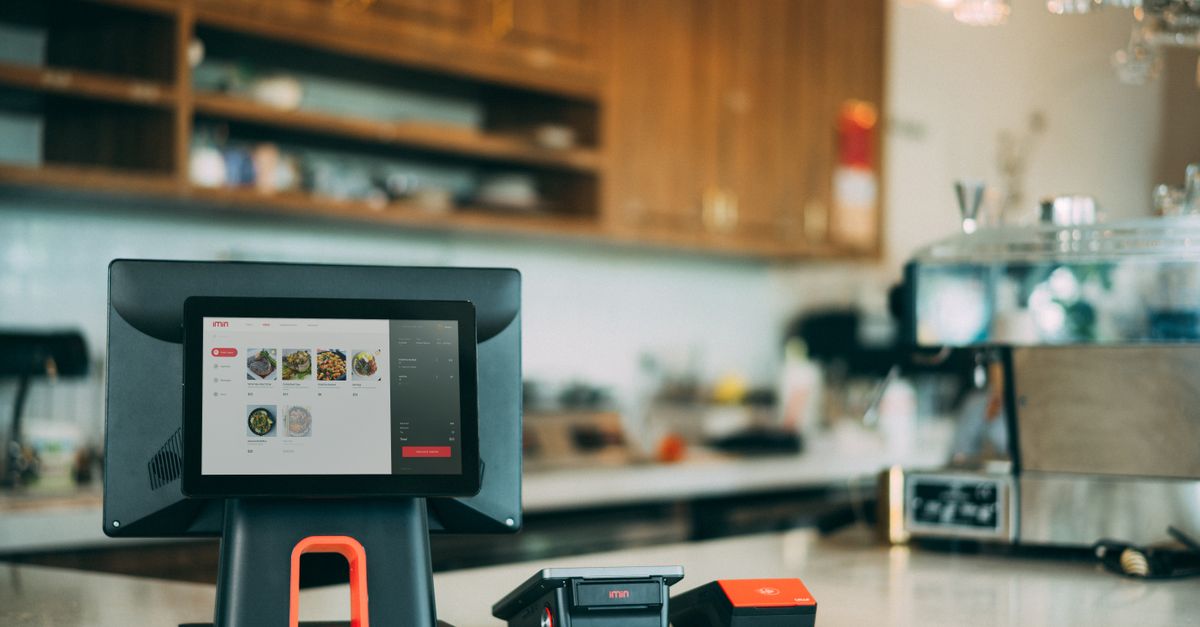
Bengaluru's food scene rarely slows down. A darshini in Jayanagar, a specialty-coffee cafe in Indiranagar, a QSR counter in Whitefield, and a delivery-only cloud kitchen in HSR Layout all run on very different rhythms — but they share the same two headaches: getting orders out fast when the rush hits, and stopping money from quietly leaking through the kitchen. The billing and POS software you choose sits right in the middle of both. This guide walks through what actually matters for a restaurant, cafe, or cloud kitchen in Bengaluru in 2026, without the sales spin.
The city adds a few local realities on top of the usual restaurant chaos. A large share of covers now come through Swiggy and Zomato, sometimes 40 to 60 percent for delivery-heavy brands. Rents and staff costs are high, so wastage and over-portioning hurt more here than in a smaller town. And many operators run more than one outlet across scattered neighbourhoods, which makes a single, connected view of sales and stock non-negotiable.
Fast billing is the whole game at peak hour
The single most important job of a restaurant POS is to bill quickly and correctly when a queue is building. A good system lets a cashier or captain punch an order in a few taps: pick the table or mark it takeaway, add items, apply a modifier like 'less spicy' or 'no onion,' split or merge tables, and settle across cash, card, and UPI without fumbling. Every extra second per bill compounds during a 1 pm lunch rush or a Friday-night dinner slam.
The moment an order is confirmed, a KOT (Kitchen Order Ticket) should print in the kitchen or appear on a kitchen display, so the line starts cooking without waiting for a paper chit to be walked over. KOT software also creates a clean record of what was ordered versus what was served — which is the backbone of both food-cost tracking and dispute resolution when a customer says an item never arrived.
Table and order management
For dine-in, the POS should show a live floor: which tables are seated, which are waiting on food, and which are ready to bill. Captains taking orders on a tablet cut the walk back and forth to a terminal, and running orders through one system means the kitchen, the cashier, and the manager are all looking at the same truth.
Takeaway, delivery, and aggregator integration
If you are on Swiggy and Zomato, aggregator integration is not a nice-to-have — it is the difference between a calm kitchen and a chaotic one. Without it, staff re-key every delivery order into the POS by hand, which is slow and error-prone during a rush. With integration, orders from the aggregators flow straight into the same order queue and print a KOT automatically, alongside your dine-in and direct takeaway orders.
Just as important, integration lets you manage menus and stock-outs centrally. When you run out of an item, marking it unavailable once should reflect across your own counter and the aggregator listings, so you stop taking orders you cannot fulfil. For a cloud kitchen running multiple brands from one physical kitchen, this consolidated order view is the core operating system of the business.
Why aggregator orders quietly distort your numbers
Delivery orders carry commission, packaging, and discount costs that dine-in orders do not. If your POS lumps everything into one revenue number, your margins look healthier than they are. Insist on channel-wise reporting so you can see true profit on dine-in, direct takeaway, and each aggregator separately.
Where the real money leaks: food cost
Billing speed keeps customers happy, but food-cost control keeps you in business. Food cost — the share of revenue spent on ingredients — typically runs somewhere in the 28 to 38 percent range for many restaurants, though your target depends heavily on your format and menu. A couple of points of unnoticed leakage on a high-rent Bengaluru outlet can be the difference between a good month and a loss.
The way software attacks this is recipe- or BOM-based inventory. You define, for each dish, its bill of materials: a masala dosa uses X grams of rice-and-dal batter, Y grams of potato masala, so much oil, and so on. Every time that dish is billed, the system deducts those ingredients from stock automatically. This turns a vague monthly guess into a running estimate of what you should have used.
How recipe-based inventory plugs leakage
- Theoretical vs actual: compare what the recipes say you should have consumed against what you physically counted, so over-portioning, spillage, and pilferage show up as a number instead of a hunch.
- Variance alerts: flag ingredients where actual usage runs well above the recipe, pointing you to the exact dish or station losing money.
- Purchase discipline: track supplier rates over time so a quiet price hike on paneer or cooking oil does not silently eat your margin.
- Menu engineering: see which dishes are both popular and profitable, and quietly retire the ones that sell but barely break even.
- Wastage logging: record spoilage and staff meals so they stop hiding inside your 'shrinkage' and distorting the picture.
No software eliminates food-cost leakage on its own — someone still has to count stock and act on the variance report. What the system does is make the leak visible and specific, so a manager spends fifteen minutes on the real problem instead of guessing across the whole kitchen.
See how recipe-based inventory and aggregator billing come together in one restaurant system.
Explore Wizix Restaurant ERPLoyalty, offers, and repeat customers
In a market as crowded as Bengaluru, a returning regular is cheaper than a new customer acquired through an aggregator discount. A capable POS handles loyalty points, customer-level history, and offers — happy-hour pricing, combo deals, festival promotions — from the same screen the cashier already uses. Because purchases are tied to a phone number, you also build a first-party customer list you actually own, rather than one locked inside an aggregator's app.
Day-end, Z reports, and GST
At close, a manager should be able to run a day-end or Z report in one click: total sales, breakdown by payment mode, item-wise and category-wise sales, discounts given, taxes collected, and cash that should be in the drawer. This is your daily reconciliation and your first line of defence against till shortages.
On tax, the POS must produce GST-compliant bills with your GSTIN, the correct CGST and SGST split, and HSN/SAC details, and it should export the summaries your accountant needs for filing. Bengaluru restaurants also often deal with service-charge lines and multiple tax treatments across dine-in and delivery, so make sure the software handles your specific setup cleanly. GST rules change from time to time, so confirm current rates for your category on the official GST portal rather than assuming last year's structure still holds.
Running more than one outlet
If you have a second or third location — or plan to — multi-outlet support should be built in, not bolted on. A head-office view lets you compare outlets side by side, push a menu or price change to all locations at once, and consolidate inventory and sales reporting. Central purchasing and a shared item master mean you are not maintaining the same recipe in three places and hoping they stay in sync.
Features to benefits, at a glance
| Feature | What it does for your restaurant |
|---|---|
| Fast POS billing | Shorter queues and quicker table turns during peak hours |
| KOT printing / kitchen display | Kitchen starts cooking instantly, fewer missed or wrong orders |
| Table & order management | Captains, cashier, and kitchen work off one live view |
| Swiggy/Zomato integration | Delivery orders auto-flow into the queue, no manual re-keying |
| Recipe/BOM inventory | Automatic stock deduction and theoretical-vs-actual food-cost tracking |
| Channel-wise reporting | True margins on dine-in vs delivery, not a blended illusion |
| Loyalty & offers | Repeat visits and a first-party customer list you own |
| Day-end / Z reports | One-click reconciliation of sales, cash, and taxes |
| GST billing | Compliant invoices and clean summaries for filing |
| Multi-outlet control | One head-office view across all your Bengaluru locations |
What it costs and how to choose
Wizix Restaurant & Retail ERP starts from ₹49,999. Where you land depends on the number of outlets and counters, whether you need aggregator integration and a kitchen display, and how deep you go on recipe-based inventory. We are based in Hyderabad and serve restaurants across India, including Bengaluru, so setup and support work the same whether you are one cafe or a small chain.
When you compare options, work through this short checklist rather than a feature count:
- 1Bills fast under pressure — test it with a mock rush, not a calm demo.
- 2KOT reaches the kitchen reliably, on your existing printer or a display.
- 3Integrates with the aggregators you actually use, with channel-wise reporting.
- 4Does true recipe-based inventory, so food-cost variance is a number you can act on.
- 5Produces correct GST bills and clean day-end reports.
- 6Scales to multiple outlets without re-buying everything.
- 7Comes with responsive support — a POS that fails at 8 pm on a Saturday is a crisis.
The best restaurant software is the one your busiest cashier can run without thinking, and the one your manager can pull an honest food-cost number from on the first of every month.
If you are weighing up billing and POS software for a restaurant, cafe, or cloud kitchen in Bengaluru, we are happy to map your menu and workflow and give you a straight recommendation — including what you do not need to pay for yet.
Frequently asked questions
What is the best billing software for restaurants in Bengaluru?+
The best fit depends on your format — dine-in, QSR, cafe, or cloud kitchen. Look for fast POS billing, reliable KOT printing, Swiggy/Zomato integration, recipe-based inventory for food-cost control, GST-compliant bills, and multi-outlet support if you are growing. Wizix Restaurant & Retail ERP covers all of these and starts from ₹49,999.
Does it integrate with Swiggy and Zomato?+
Yes. Aggregator orders can flow directly into the same order queue and print a KOT automatically, so staff do not re-key delivery orders by hand. You also get channel-wise reporting so you can see true margins on dine-in versus delivery separately.
How does the software control food cost?+
It uses recipe- or BOM-based inventory. Each dish has a defined bill of materials, and billing an item automatically deducts its ingredients from stock. You can then compare theoretical usage against a physical count to spot over-portioning, spillage, and pilferage as a specific number, instead of guessing at month end.
Will it work on a tablet and with my existing printer?+
In most cases, yes. The POS can run on a tablet for captains and counters, and it typically works with standard thermal receipt and KOT printers you may already own. We confirm compatibility with your specific hardware during setup so you are not forced into buying new equipment unnecessarily.
Can it handle multiple outlets?+
Yes. Multi-outlet support gives you a head-office view to compare locations, push menu and price changes to all outlets at once, and consolidate inventory and sales reporting from a shared item master — useful if you run several Bengaluru locations.
Does it produce GST-compliant bills?+
Yes. Bills carry your GSTIN with the correct CGST and SGST split and HSN/SAC details, and the system exports the summaries your accountant needs for filing. Because GST rules can change, we recommend confirming current rates for your category on the official GST portal.
How much does restaurant billing software cost?+
Wizix Restaurant & Retail ERP starts from ₹49,999. The final price depends on the number of outlets and counters, whether you need aggregator integration and a kitchen display, and how deep you go on recipe-based inventory. We are happy to scope a plan for your specific setup.
Do you support restaurants outside Hyderabad?+
Yes. Wizix is based in Hyderabad and serves restaurants, cafes, and cloud kitchens across India, including Bengaluru. Setup and support work the same whether you run a single outlet or a small chain.
Related Wizix solutions
Sources & references
Ready to get started?
Get honest advice and a clear, no-obligation quote from the Wizix team.
Get a free quote